
For cross-border e-commerce sellers, 1688 is an essential sourcing platform, especially for dropshipping and OEM/ODM businesses. After selecting products on 1688, sellers typically need to contact the manufacturer directly to obtain product images provided by the manufacturer. These images usually include main images,spec images and detailed images.However, for sellers who wish to sell these products in overseas markets, most of the images provided by 1688 are in Chinese, presenting a significant language challenge.
Manually image translation
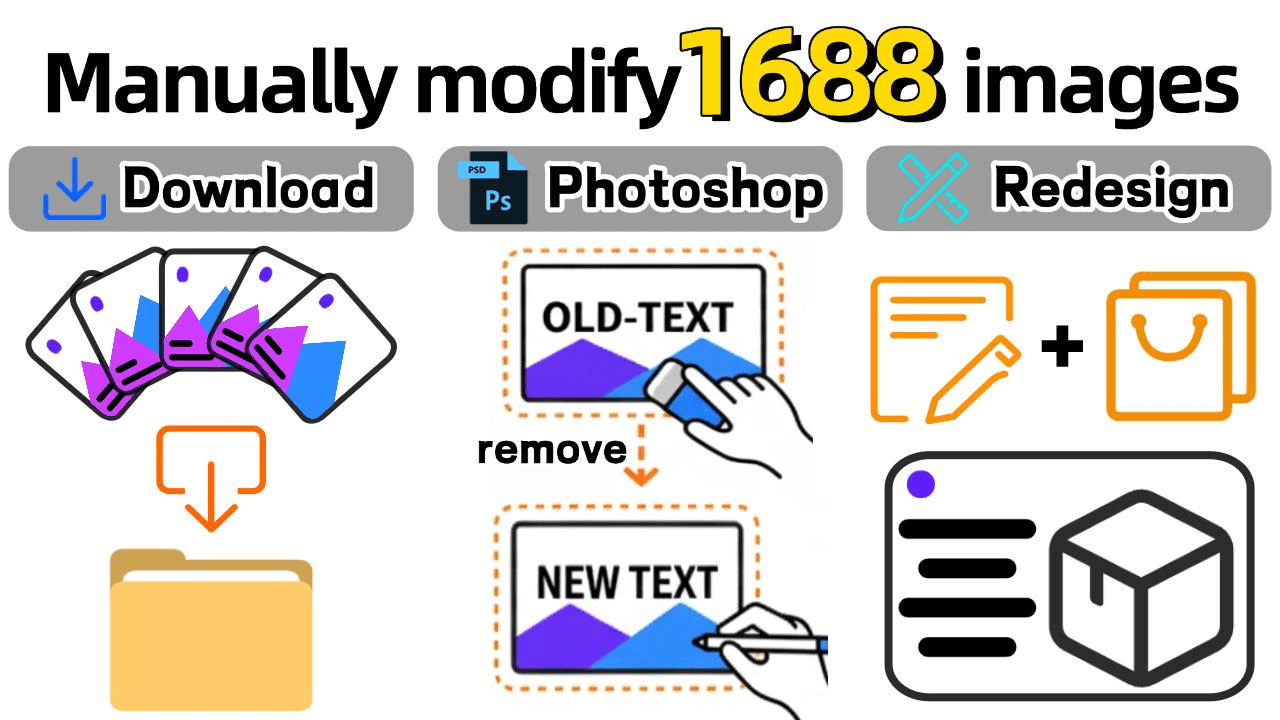
Before AI tools, many cross-border e-commerce sellers relied on manual processes to modify 1688 product images. Common practices included:
Image extraction plugins + manual translation: Sellers use plugins to extract 1688 product images, then use translation tools to translate the text manually, followed by editing the images.
Using design tools: Tools like Photoshop or Canva were used to manually cover the Chinese text and add translated content, which is time-consuming and prone to errors.
Re-shooting or designing images: Some sellers chose to completely discard the original images, re-shoot, or redesign the images. This not only consumes a lot of time but also increases design costs.
AI Solution: Piclaza One-Click Link Extraction + Image Translation
Now, Piclaza can help you solve all of this effortlessly! You only need to provide the 1688 product link, and the system will automatically extract the product images, translate them in bulk, and upload them to various cross-border e-commerce platforms. The entire process is not only quick and simple, but it also ensures that the translated e-commerce images remain consistent with the original images.
✅ Piclaza chrome extension
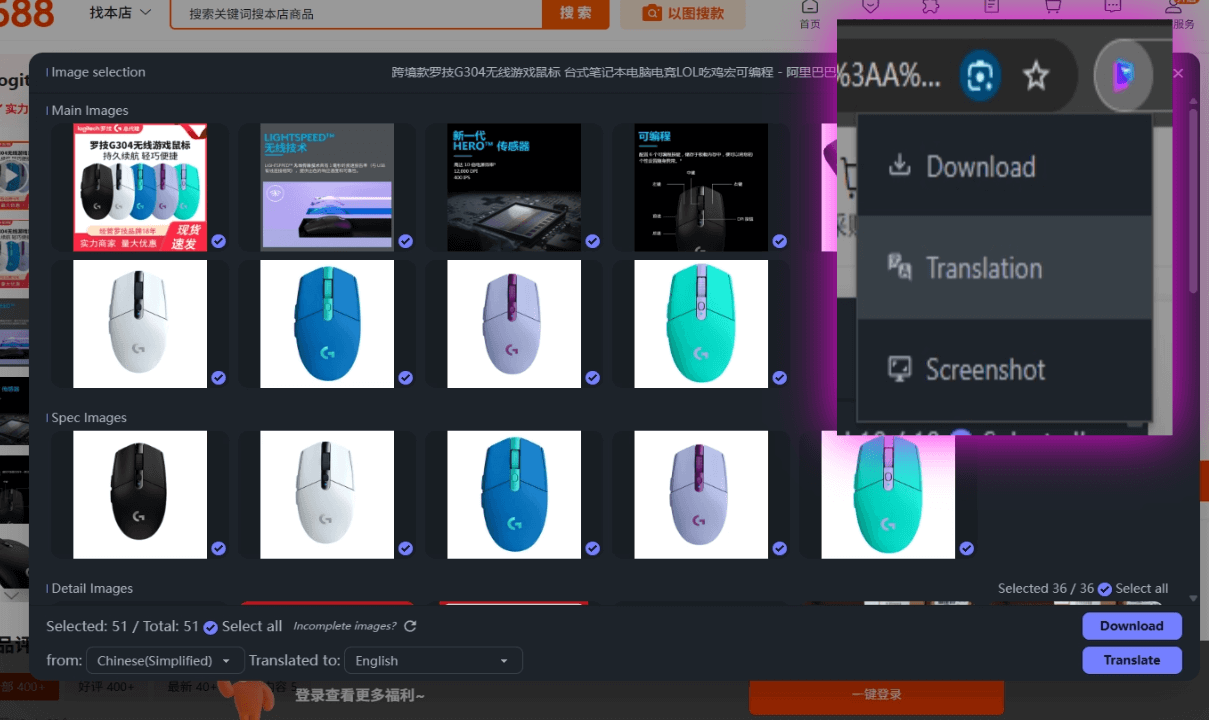
Automatic Image Extraction:You just need to click the "translation" button on the plugin, and it will automatically capture the main images, spec images, detailed images, and all other related pictures of the product.
✅Supports secondary text editing
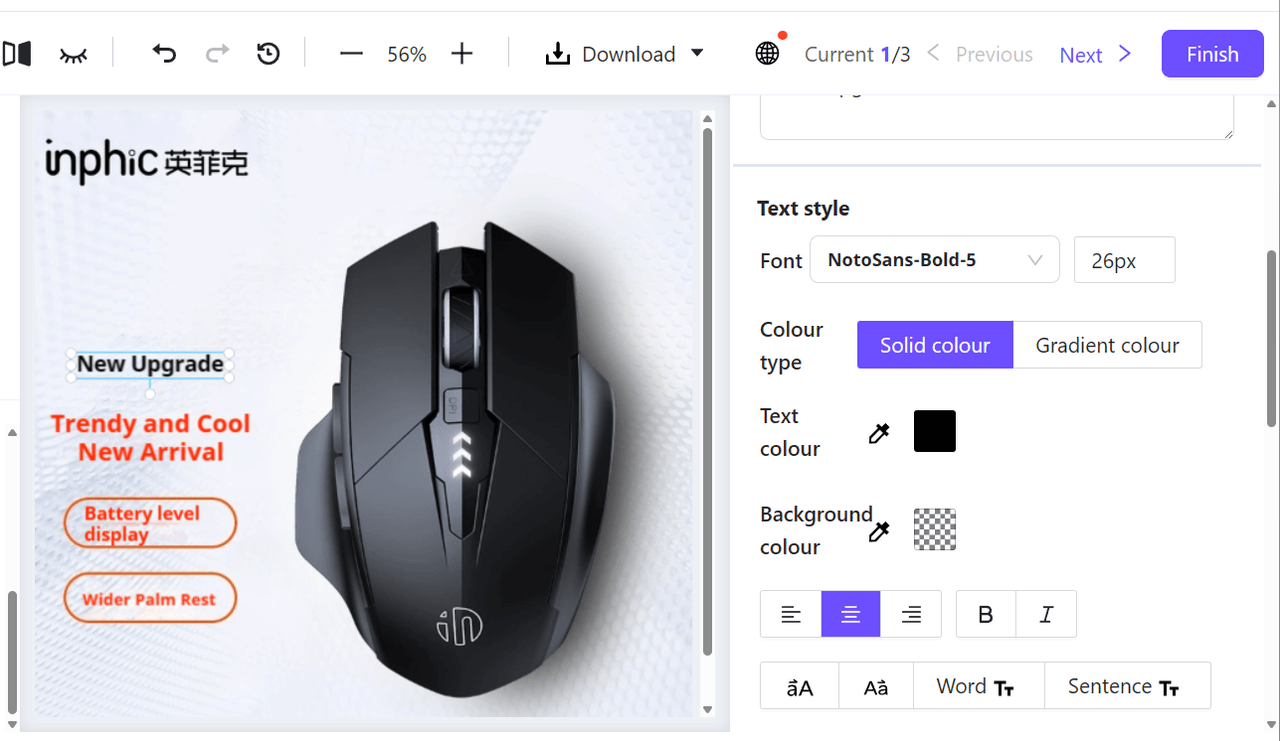
Automatic Translation + Secondary Editing::Piclaza will automatically recognize and translate the Chinese text in the images into the target language (such as English, Spanish, etc.). In addition, sellers can edit the translated text for secondary adjustments, such as position, size, color, etc., to ensure the overall effect and platform requirements are met.
Function Comparison: Traditional Methods vs. Piclaza AI
| Function | Traditional Method | Piclaza AI Solution |
|---|---|---|
| Image Extraction | Manual screenshot/download | Paste link for automatic extraction |
| Image Translation | Manual translation, messy layout | Automatic translation, preserves layout |
| Bulk Efficiency | Requires repetitive tasks | One-click batch processing |
With the help of AI tools, you can easily bulk translate 1688 product images, make quick adjustments, and upload them to Amazon or other cross-border e-commerce platforms. Whether it's product image translation or bulk processing, AI tools can significantly improve efficiency, save time, and ensure your store quickly stocks high-quality products.